

Typosquatting protection means running continuous domain monitoring, risk-based defensive registration and hardened email/DNS controls together, not choosing one. Attackers register lookalike domains within hours of a brand campaign, so the right posture is a standing programme rather than a one-time cleanup. Start today: run a free typosquat scan, enable DMARC monitoring, and add your highest-traffic domain variants to a defensive registration list.
TL;DR:
- Continuous monitoring detects lookalike domains within hours of registration using signals like recent SSL certificates, active MX records, and suspicious DNS changes.
- Protecting against typosquatting requires a layered approach, including risk-based domain registration, full email authentication, DNS security, and endpoint controls.
- Automated tools, such as Shieldmarc's scanners, enable ongoing threat detection and domain health assessment, replacing manual, slow processes.
- Responding promptly involves blocking malicious domains, collecting evidence, reporting abuse, and pursuing legal action like UDRP disputes when applicable.
- Single scans are insufficient; establishing operational monitoring with dedicated owner responsibility prevents attackers from exploiting new registrations continually.
Table of Contents
- How attackers use lookalike domains
- What does typosquatting actually look like?
- Why typosquatting protection matters for the business
- Building a typosquatting detection and monitoring programme
- Hardening your domains against typosquatting
- What to do when you find a typosquatted domain
- How ShieldMarc supports continuous typosquatting protection
- Why continuous monitoring beats one-off cleanups
- Start protecting your domains today
- Sources
How attackers use lookalike domains
A typosquatting campaign follows a lifecycle, and understanding it explains why some defences work and others don't. Attackers register a lookalike domain, let it sit dormant for days or weeks to avoid triggering new-domain filters, then activate it, usually with a mail server and a cloned login page. Monetisation follows fast: credential harvesting, malware delivery, ad fraud, or simply parking the domain to resell it back to the brand.
The technique catalogue is well established, and most attacks fall into a handful of repeatable patterns:
- Omission and transposition: dropping or swapping letters (
shieldmarc.combecomesshieldmac.comorshieldmrac.com). - Homoglyphs and punycode: substituting visually identical Unicode characters, so a Cyrillic "а" replaces a Latin "a" in a domain that renders as
xn--punycode under the hood. - Combosquatting: appending words like "secure", "login" or "support" to a legitimate brand name.
- ccTLD abuse: registering the same brand name under a different country-code extension, often one with cheap or lax registration checks.
None of these require a technically sophisticated attacker. Domain registration is instant, and a cloned website using a static site generator can be live within the hour.
Here's the point most security awareness training gets wrong: SSL padlocks and "https" don't confirm legitimacy. Free certificate authorities issue TLS certificates in minutes with no identity verification beyond domain control, so a phishing site can display exactly the same padlock icon as the real one. Redpoints' guidance on typosquatting makes the same point: a layered defence has to assume the padlock tells you nothing about who actually controls the domain.
What does typosquatting actually look like?
Recognising the pattern matters more than memorising the definition, because detection rules and defensive registration lists both depend on knowing what to search for.
- Single-character and keyboard-proximity errors. These exploit fat fingers and adjacent keys:
shieldmarc.combecomesshieldmzrc.com(z sits next to m) orsheildmarc.com(a common transposition typo). - Homoglyph and punycode substitutions. Cyrillic, Greek and accented Latin characters that look near-identical to standard letters get encoded into punycode strings like
xn--80ak6aa92e.com. Browsers render these as the familiar brand name unless typo protection is switched on. - Combosquatting and appended-word variants. Think
shieldmarc-support.com,shieldmarc-security.net, orlogin-shieldmarc.com. These are especially effective in phishing emails because they read as plausible subdomains at a glance. - ccTLD and TLD swaps. A
.combrand registered under.cn,.ru,.topor.xyzat a fraction of the cost, frequently used for ad arbitrage or credential phishing rather than sophisticated impersonation.
Each pattern maps directly to a detection rule. A monitoring tool that only checks for single-character edits will miss combosquatting and TLD swaps entirely, so your inventory needs to cover all four categories from day one.
Why typosquatting protection matters for the business
Typosquatting isn't a nuisance category of spam. It's an active phishing and fraud channel, and the downstream cost lands on departments well outside IT.
Credential theft is the obvious risk: a cloned login page harvests usernames and passwords, which then get used for account takeover, business email compromise, or lateral movement into internal systems. Brand abuse runs alongside it. Lookalike domains get used for affiliate fraud, where attackers redirect legitimate referral traffic and pocket commissions, or for ad fraud campaigns that quietly damage a brand's paid search performance by outbidding the real domain on its own name.
The Cyber Security Breaches Survey 2025 documents how widespread phishing-related incidents remain across UK organisations of every size, and typosquatted domains are one of the most common staging grounds for exactly this kind of attack.
That's the business case for treating domain monitoring as a budget line rather than a one-off IT task: the incidents keep happening, and the entry point is often a domain nobody was watching.
Building a typosquatting detection and monitoring programme
Effective detection means watching the right signals, not just running periodic scans. Four data sources do most of the work:
- Certificate Transparency (CT) logs, which publicly record every SSL/TLS certificate issued. A domain that receives a certificate within 24 to 72 hours of registration is a strong early warning, since SentinelOne's research on typosquatting detection notes this correlation reliably flags staged phishing infrastructure.
- WHOIS and registry feeds, which surface newly registered domains matching your brand's name patterns before they go live.
- MX record checks, arguably the single highest-value signal available. A domain with an active mail exchanger is almost certainly staged for phishing rather than passive squatting, and Infosecurity Magazine's analysis of MX monitoring recommends automating this check specifically to catch business email compromise infrastructure early.
- DNS record changes, which reveal when a dormant lookalike domain suddenly becomes active.
The triage rule that actually works in practice: treat a domain as high priority when it combines a recent registration date, an active MX record, and either cloned site content or a redirect to a known malicious host. Any one signal alone produces too much noise; the combination is what separates a real threat from a coincidental name match.
Pro Tip: Set your CT log alerts to trigger on certificate issuance for domains containing your brand name plus common combosquatting terms ("secure", "verify", "support") — this single rule catches a disproportionate share of active phishing infrastructure before it's weaponised.
Hardening your domains against typosquatting
Prevention splits into four layers, and skipping any one of them leaves a gap attackers will eventually find.
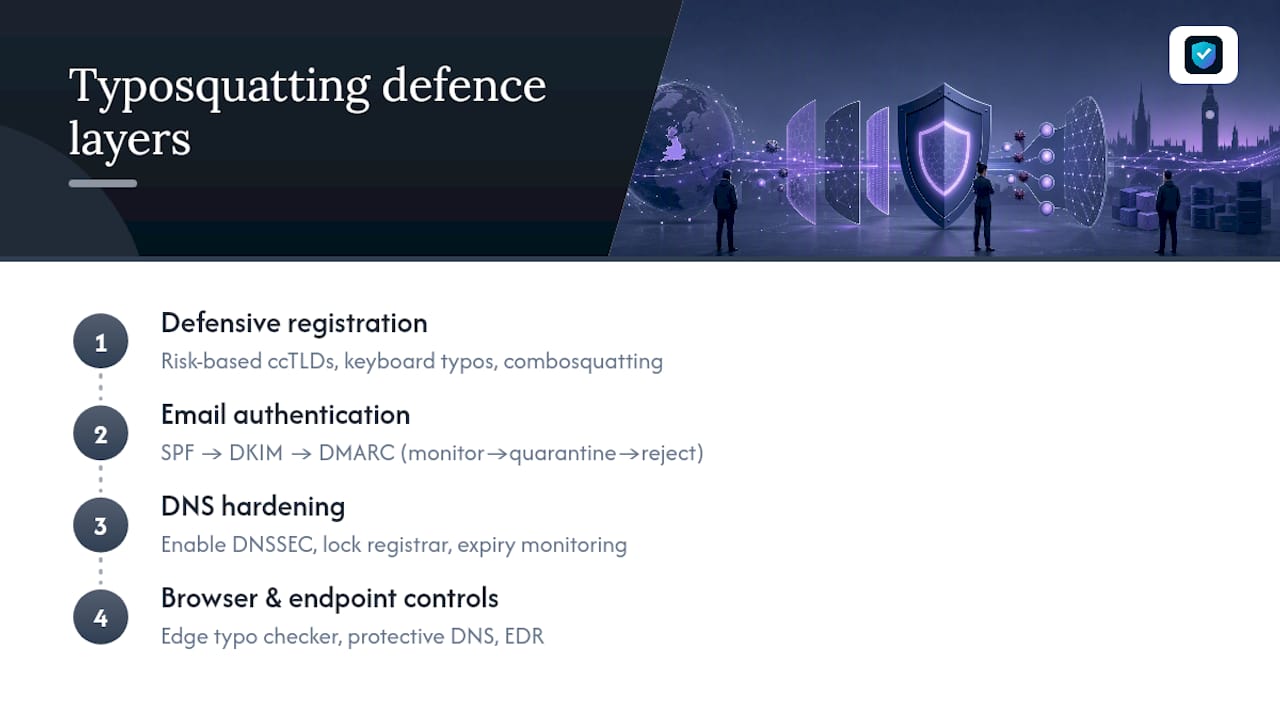
Defensive registration should be risk-based, not exhaustive. Register the ccTLDs relevant to markets where you actually operate, the most common keyboard-proximity typos of your primary domain, and any combosquatting variant already appearing in phishing reports against your brand. Redpoints' typosquatting prevention guidance frames this correctly: chasing every possible permutation wastes budget better spent on monitoring.
Email authentication closes the channel attackers rely on most. Deploy SPF and DKIM first, then move DMARC through its phases deliberately: start in monitor mode to gather visibility, move to quarantine once you trust your legitimate senders are correctly authenticated, then enforce reject. Skipping straight to reject without the monitoring phase is the single most common reason DMARC rollouts break legitimate mail flow.
DNS hardening covers the infrastructure layer. Enable DNSSEC to prevent cache poisoning and spoofed responses, lock your registrar account against unauthorised transfers, and set automated expiry monitoring so a forgotten renewal never hands your own domain to an opportunistic squatter.
Browser and endpoint controls catch what slips past everything else. Microsoft Edge ships a built-in typo protection feature, and enterprises can enforce it fleet-wide through the TyposquattingCheckerEnabled policy, which presents an interstitial warning before users reach a known typosquatting site. Pair that with protective DNS and standard EDR coverage, and you've closed the loop between detection and the moment an employee actually clicks.
What to do when you find a typosquatted domain
Finding the domain is only step one. What you do in the next 24 hours determines whether it's a contained incident or a spreading phishing campaign.
- Contain immediately. Block the domain at your DNS resolver and web proxy, add it to your email security platform's blocklist, and isolate any endpoint that may have already visited it.
- Collect evidence before it disappears. Capture WHOIS records, CT log entries, screenshots of the cloned site, hosting and registrar details, and any MX or DNS data. Malicious sites go dark fast once flagged, so evidence gathering can't wait.
- Report through the right channel. File an abuse report with the registrar and hosting provider, report phishing content through the NCSC's phishing reporting guidance, and notify any ad network being abused for redirect fraud.
- Escalate to formal dispute if trademark bad faith is clear. Where the domain infringes a registered trademark, a UDRP complaint through WIPO can force transfer or cancellation, typically within a couple of months, faster than most litigation routes.
Registrar abuse reports often produce results within days. UDRP proceedings take longer but carry legal weight a takedown request doesn't.
How ShieldMarc supports continuous typosquatting protection
Running this programme manually, spreadsheet by spreadsheet, doesn't scale past a handful of domains. Shieldmarc's typosquat and lookalike domain scanner automates the detection layer described above, checking for the same registration patterns, homoglyph substitutions and combosquatting variants a manual review would look for.
A domain security posture is only as good as its weakest unmonitored layer. Certificate issuance, expiring DNSSEC, an unauthenticated MX record. Any one of them left unwatched is the gap an attacker eventually finds.
A domain grading system (A+ to F) extends beyond email into DNS configuration, TLS certificate health, and domain expiry tracking, giving IT teams and MSPs one dashboard instead of four disconnected tools. That consolidation is what turns "we should probably check on this" into an actual weekly operational habit.
Why continuous monitoring beats one-off cleanups
Most organisations treat typosquatting as a problem to solve once: register a few obvious variants, run a scan, move on. That's backwards. New lookalike domains get registered against active brands every week, which means a single scan is accurate for exactly as long as it takes for the next registration to land.
The teams that actually reduce their exposure treat this as an operational function with an owner, not a project with an end date. Assign the monitoring to a named person or team, track how many suspicious domains you encounter per month as a baseline metric, and invest in automation early rather than waiting until manual review becomes unmanageable.
Nathan has spent his career in DMARC deployment and domain security operations, helping MSPs and IT teams build monitoring programmes that catch threats before they reach an inbox.
— Nathan
Start protecting your domains today
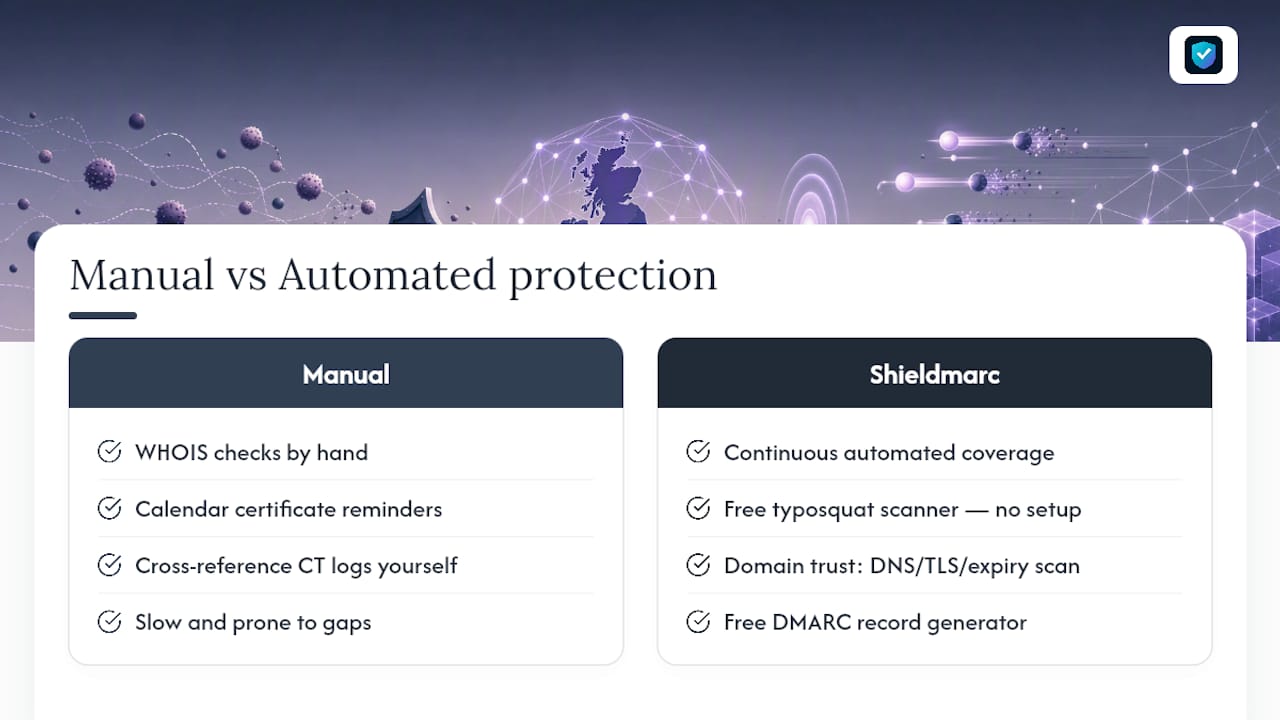
There are manual routes to this: checking WHOIS records by hand, setting calendar reminders for certificate renewals, cross-referencing CT logs yourself. All workable, all slow, and all prone to gaps the moment someone's on holiday.
Shieldmarc replaces that manual grind with continuous, automated coverage across the exact controls this article has walked through. The free typosquat and lookalike domain scanner gives you an immediate read on active threats against your brand, no setup required. From there, the domain trust check scans your DNS, TLS certificate health and expiry status in one pass, and the free DMARC record generator gets your email authentication moving from monitor mode toward full enforcement.
For MSPs managing multiple client domains, that's the difference between reactive firefighting and a defensible, repeatable security posture you can report on. Run your free scan now and see exactly what's registered against your brand today.
Sources
- TyposquattingCheckerEnabled | Microsoft Learn
- Phishing scams collection | NCSC
- Cyber Security Breaches Survey 2025
- How to Detect and Prevent Typosquatting